01
Find the right visit
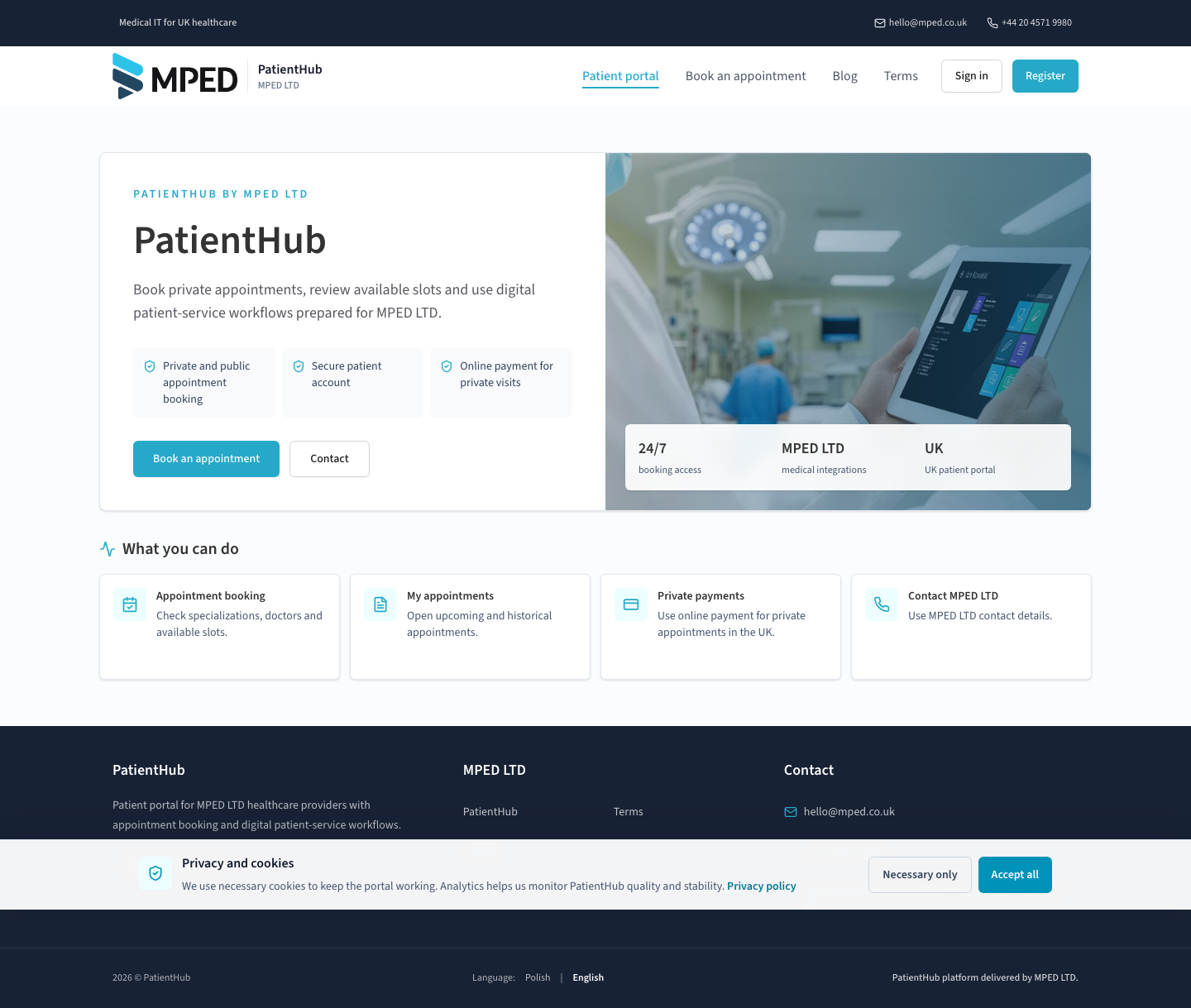
Patients start with the service, specialisation and clinician options configured for the provider.
PatientHub by MPED
PatientHub gives healthcare providers a configurable patient-facing journey for finding services and appointments, completing booking details and receiving a clear confirmation.
Your organisation purchases and configures PatientHub. Your patients use the experience you launch for them.
View the patient portalMicrosoft Marketplace purchase will be shown here only when the UK offer is verified and available.
The product experience
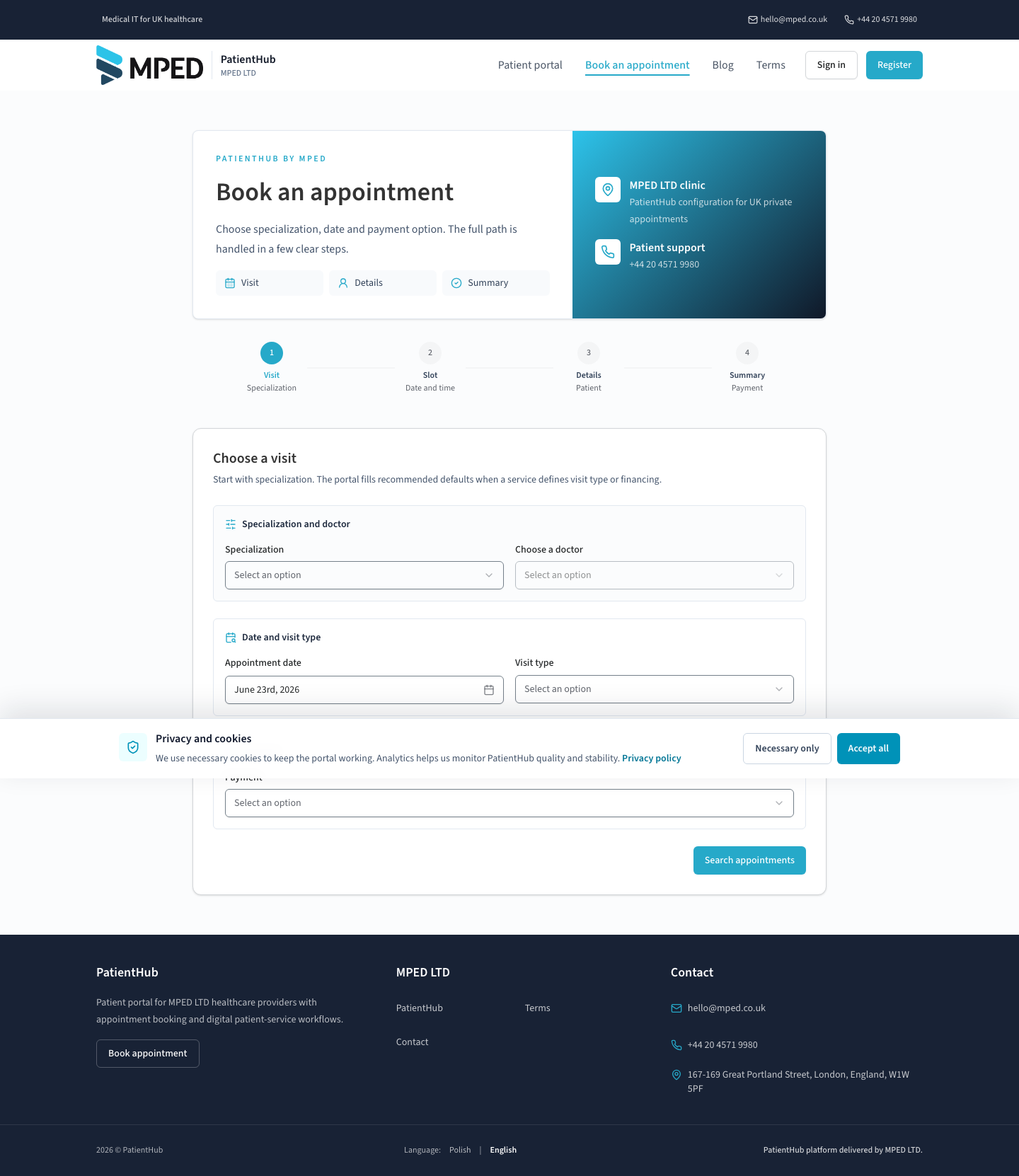
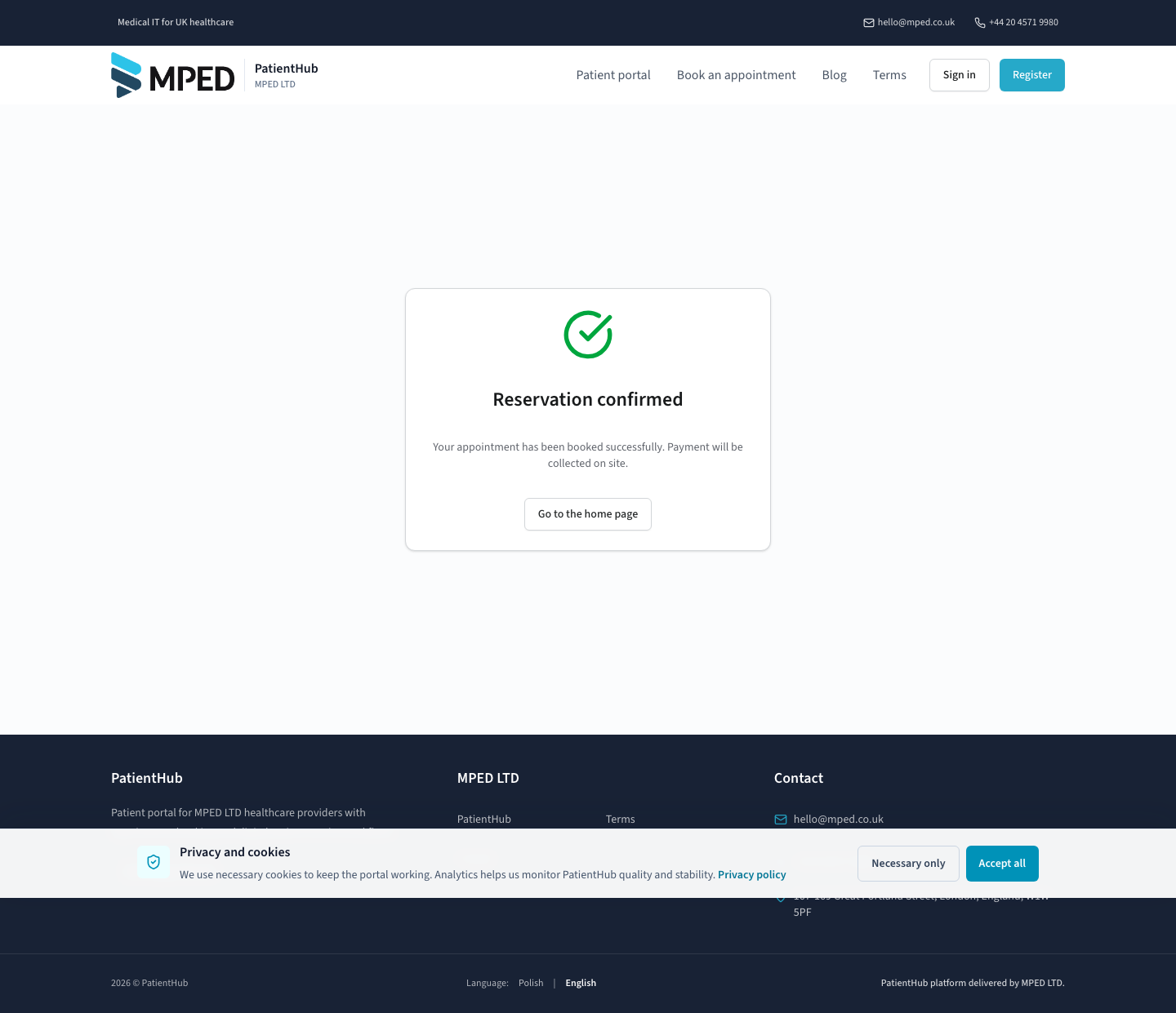
Real screens from the PatientHub UK tenant show the experience your organisation makes available to patients.
Patients start with the service, specialisation and clinician options configured for the provider.
The booking journey brings visit type, clinician, date and payment option into one guided flow.
Patients provide the required details, review the appointment and receive a clear booking confirmation.
For healthcare providers
PatientHub is purchased for a healthcare provider. Patients are the end users of the configured portal, not the commercial buyer.
Each healthcare organisation is represented by its own tenant context, identity, locale, timezone, currency, feature settings and calendar-provider configuration.
Offer a consistent route from service discovery to available appointment, patient details and confirmation.
Role-aware administration includes a tenant dashboard and controlled views of doctors, services, availability and bookings. Current configuration onboarding is assisted by MPED.
PatientHub supports a native scheduling path and integration-led deployments, with optional product modules introduced under explicit tenant configuration.
Provider identity
PatientHub resolves branding by provider hostname and tenant settings, including product naming, logo, palette, contact details and local market defaults.
 PatientHubDigital patient access
Identity, colour, contact and market settings resolve from the provider tenant.
Integration
PatientHub can use the MPED native calendar or a validated provider integration. The exact connection is confirmed during technical discovery and onboarding.
Named third-party integrations are offered only after provider-specific technical and contractual validation.How PatientHub is deployed
Review the patient journey, provider model and integration fit with MPED.
Use the assisted sales path today. Marketplace purchase will appear only after a verified UK offer is available.
MPED establishes the healthcare organisation context and controlled administrator membership.
Apply provider identity, services and scheduling configuration, then validate required integrations.
Run provider-specific acceptance checks before exposing the service to patients.
The provider makes its configured PatientHub experience available to its patient community.
Operations and access
Host and forwarded-host context resolve provider-specific runtime settings and keep UK and Polish tenant configuration separate.
Tenant administration uses membership and permission checks and is disabled by default until explicitly enabled.
The represented infrastructure uses HTTPS, managed Azure services, Key Vault configuration paths and Application Insights telemetry.
PatientHub by MPED
Start with a provider-focused demonstration and an integration fit review.